
01 · Home Tech
Tech that works at home, explained like a person.
Patient, jargon-free help with Wi-Fi, computers, printers, smart devices and home offices, on-site or remote.
Your home, mapped
KitchenLiving roomOfficeGarageBedroomDead zoneWeak signal123456
1
Wi-Fi and networking
2
Computers and devices
3
Home office
4
Smart home
5
Printers
6
Security and backups
Illustrative floor plan
Six things that drive people crazy
Many problems can be solved remotely. The ones that need hands, like Wi-Fi dead zones and new equipment, we do on-site.

Wi-Fi and networking
Coverage, dead zones and a secure setup.
On-site
Computers and devices
Setup, cleanups, upgrades and troubleshooting.
Remote or on-site

Home office
Reliable, secure and ready for video calls.
Remote or on-site

Smart home
Cameras, thermostats and speakers that work together.
On-site

Printers
Connected and working for every computer in the house.
Remote or on-site

Security and backups
Protect your family’s photos, files and privacy.
Remote or on-site
Three things to check this year
None of them is urgent today. All of them are easy to put off.
Your router has an age
The FBI warned in 2025 that routers from 2010 or earlier no longer get updates, and criminals have taken over old ones to hide their activity.
Router check
1 Made in 2010 or earlier? Replace it.
2 Firmware updated recently? Update it.
3 Remote administration on? Turn it off.
Windows 10 is past its date
Microsoft ended regular Windows 10 support in October 2025, then extended free security updates for home PCs.
Oct 12, 2027
Home Windows 10 PCs that enroll keep getting security updates until this date. Some older PCs cannot run Windows 11, so it pays to plan.
Help Net Security, reporting Microsoft’s June 2026 announcement
Photos need three copies
One aging hard drive is not a plan. The 3-2-1 rule is the simple version of one.
3
copies
2
kinds of storage
1
away from home
Devices that finally work together
Matter is an industry standard that lets one device work with more than one home app. We look for it before we buy.
CameraThermostatLightsLockSpeaker
Matter
Apple HomeGoogle HomeAlexa
We also put smart devices on their own network, so a cheap gadget cannot reach your computers. Source: Connectivity Standards Alliance
Start with your list. Leave with a working home.
1
You tell us the list
2
We fix what we can
3
We explain what happened
4
You keep a cheat sheet
Your home tech, one page
Wi-Fi name
Home-5G (example)
Router
Living room, firmware current
Backups
Photos to cloud and an external drive
Smart devices
On their own network
Questions?
Call BitNetica
Example handout
Helping a parent from far away?
We offer patient one-on-one help with new phones, video calls and spotting scams. With their permission we can help remotely, and send you a plain-English recap.
People 60 and older reported about $7.7 billion in losses to the FBI in 2025, up roughly 60% from 2024. AARP, summarizing the FBI IC3 2025 report
Red flags
- A pop-up says your computer has a virus
- Someone calls you first about a problem
- You are asked to let them control your computer
- You are asked to pay with gift cards, wire or crypto
Any one is a reason to stop and call someone you trust. FTC guidance
Our terms, in plain English
A clear rate
Quoted before we begin.
Nothing changed in secret
We explain it first.
Honest about replacing
We say when a fix is not worth it.
Run a business from home? Same help, business standards.
Your home network is business infrastructure once you work from it. Ask about combining home support with managed IT.
09 · Next step
Tell us what’s been driving you crazy.
A free conversation about your home tech, and an honest answer on what is worth fixing.
FAQ
Home Tech: common questions
Do you help homeowners, not just businesses?
Yes. We help households and home-office professionals with Wi-Fi, computers, printers, smart-home devices, and more — on-site at your home or remotely, with patient, jargon-free help.
Can you fix my problem remotely?
Often, yes. Many issues — slow computers, email problems, software setup — we can solve remotely. When something needs hands-on attention, like Wi-Fi dead zones or new equipment, we come to you.
Do you offer regular check-up visits?
Yes. You can book a periodic visit to update devices, verify backups, and handle the accumulated to-do list in one sitting. It’s the home version of proactive IT.
Can you help a family member who lives elsewhere?
Often yes. With their permission we can assist remotely anywhere, and local families can book us to help parents in the area while they’re at work — with a plain-English recap afterward.
What should I do about my Windows 10 PC?
Home PCs can keep receiving security updates through October 12, 2027 if you enroll. Some older PCs cannot run Windows 11, so we check yours and help you decide whether to upgrade, replace or keep it for now.
How do I know if my router is too old?
The FBI warned that routers from 2010 or earlier no longer receive updates and have been taken over by criminals. If yours is that old, or no longer gets firmware updates from its maker, replace it. We can check it for you.
Service area
Home Tech across our region
We deliver this service on-site and remotely throughout McHenry County, the NW suburbs, and SE Wisconsin.
Related services
Businesses often pair this with

Ad Hoc Tech Support
On-demand IT help with no contract — pay only when you need us, then scale up…
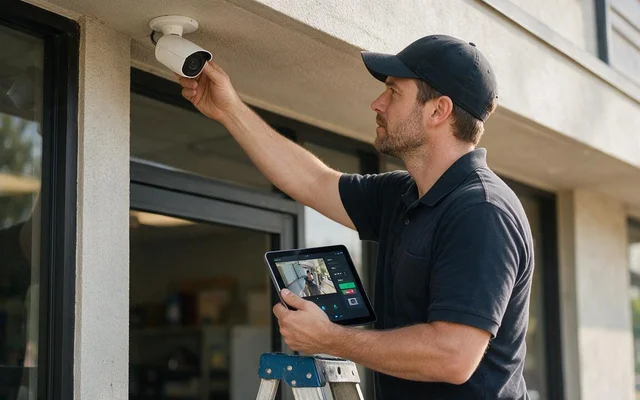
Cameras & Access Control
Professional camera and door-access systems that protect your people and property — with remote viewing from…
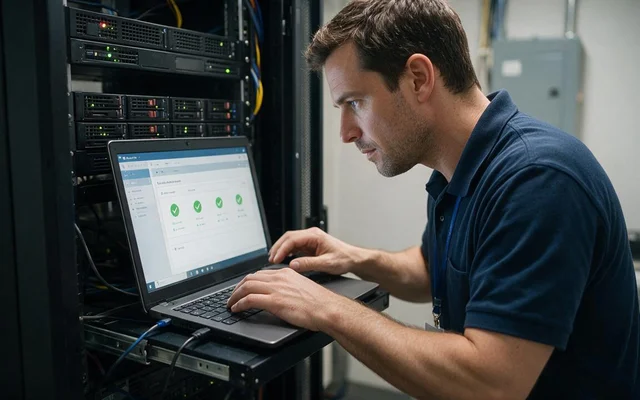
Backups & Disaster Recovery
Automated, monitored, and regularly tested backups, local and cloud, so a disaster is something you have…

Web Design, SEO and AIO
Fast, modern websites built to be found by Google and AI search alike: local SEO plus…
Ready to make your technology an advantage?
Free consultation, honest answers, no obligation.