
Most business owners assume network outages are caused by hackers, Internet providers, or failing hardware.
Surprisingly, some of the worst outages begin with something far less dramatic—a single Ethernet cable plugged into the wrong port.
In over two decades of supporting business networks, we’ve seen million-dollar infrastructures brought to their knees by a simple Layer 2 network loop. This is one of those stories, what caused it, how we tracked it down, and most importantly, how you can prevent it from happening to your business.
How a network loop turned a normal workday into a six-hour scavenger hunt
There are few sounds that make an IT professional’s heart sink faster than:
“The internet is down.”
Not just one computer.
Not just one department.
Everything.
Phones begin ringing (when they still work), people gather in hallways, printers become expensive decorations, and somehow someone always asks if restarting their computer would help.
Welcome to the wonderful world of the network loop.
What is a network loop?
Imagine standing between two mirrors facing each other. Your reflection repeats endlessly into infinity.
A network loop works much the same way.
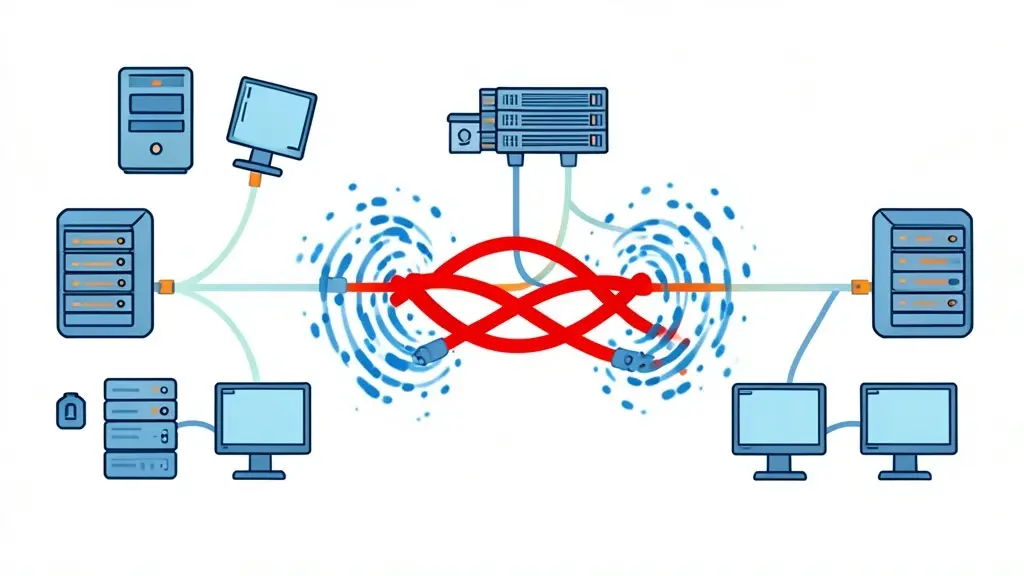
Ethernet switches are designed to forward traffic intelligently. But if you accidentally create a circular path—where frames can travel around and around forever—the switches have no idea when to stop forwarding them.
Unlike IP packets, standard Ethernet frames don’t have a “hop count.” They simply keep circulating until the network becomes overwhelmed.
The result?
- Broadcast storms
- MAC address tables constantly changing
- Massive switch CPU utilization
- Intermittent connectivity
- Phones dropping calls
- Printers disappearing
- Users insisting, “It was working five minutes ago.”
Usually they’re right.
The Case of the Helpful Employee
Several years ago, we received one of those calls.
“Everything is slow.”
A few minutes later…
“Nothing works.”
Then…
“Half the building is offline.”
We immediately started checking the Cisco switches.
Normally, troubleshooting follows a logical process.
Ping the gateway.
Check interface statistics.
Look at ARP tables.
Verify MAC addresses.
Check spanning-tree status.
Except…
Nothing was behaving normally.
MAC addresses were appearing on multiple interfaces.
They moved from port to port every few seconds.
Commands timed out.
Switch management became painfully slow.
Even simple tasks like logging into the switch felt like asking it to solve a calculus problem.
Classic symptoms of a broadcast storm.
Somewhere, a network loop had been born.
Finding the Needle in the Haystack
Large networks don’t usually give up their secrets easily.
When hundreds of devices are connected through multiple switches, the problem could be almost anywhere.
The key is resisting the temptation to panic.
Instead, isolate.
Disconnect uplinks one segment at a time until the storm disappears.
Reconnect healthy segments and continue narrowing the search.
On Cisco switches, commands such as:
show spanning-treeshow mac address-tableshow interfaces counters errorsshow interfaces statusshow logging
can provide valuable clues, although during an active broadcast storm the outputs may change so rapidly that they become difficult to trust.
Sometimes the simplest indicator is CPU utilization climbing unexpectedly while MAC addresses constantly “flap” between interfaces.
Eventually, one access switch stood out.
Whenever it was connected, chaos returned.
When disconnected…
Silence.
Progress.
Now the search area had gone from an entire building to a handful of offices.
The Culprit
A quick walk through the department revealed the answer.
An employee had discovered an unused network cable hanging near their desk.
Being a conscientious person, they decided it probably belonged somewhere.
Their desk phone was a Cisco-connected Yealink IP phone with two Ethernet ports:
- WAN (uplink to the network)
- LAN (pass-through for a computer)
Normally, only the WAN port should be connected to the wall, while the LAN port connects to a PC if pass-through is configured.
Unfortunately, the phone’s switching functionality wasn’t configured for that purpose.
The employee connected the mystery cable into the phone’s LAN port.
Instantly, the network connected back to itself.
Congratulations.
One innocent cable had created a perfect Layer-2 loop.
No malicious intent.
No hacking.
No sophisticated cyberattack.
Just optimism and a spare Ethernet cable.
The Sequel Nobody Asked For
You’d think lightning wouldn’t strike twice.
It did.
Months later another outage occurred.
Different department.
Same symptoms.
Broadcast storm.
Network instability.
Everyone blaming the internet.
Again.
This time the culprit wasn’t a phone.
It was an unmanaged four-port desktop switch.
Years earlier, someone had apparently decided running another network drop sounded like too much work.
Instead, they installed a tiny unmanaged switch under a desk.
At some point, one cable had been disconnected and left nearby.
A shipping manager eventually noticed the loose cable.
Trying to help, they plugged it back into the unmanaged switch.
From their perspective, they had fixed something.
From the network’s perspective…
They had connected both ends of the same road together.
Once again, the switches screamed in Layer 2.
Why Network Loops Are So Difficult to Troubleshoot
People often ask why something caused by a single cable can take hours to locate.
The answer is simple.
A network loop doesn’t break one thing.
It breaks your visibility into everything.
The very tools you rely on become unreliable.
MAC address tables constantly relearn addresses.
Switch CPUs become overloaded.
Management interfaces become sluggish.
SNMP monitoring may stop responding.
Pings fail intermittently.
Even logging into switches becomes frustrating.
It’s a bit like trying to investigate a traffic jam while every road is simultaneously changing direction.
Recovery Strategy
When facing a suspected network loop, experience has taught us to follow a disciplined approach.
- Stay calm. Randomly unplugging equipment usually creates more problems than it solves.
- Determine the scope of the outage. Which buildings, floors, or departments are affected?
- Check switch CPU utilization and interface activity.
- Look for rapidly changing or “flapping” MAC addresses.
- Examine spanning-tree status for topology changes or blocked ports.
- Isolate the network one uplink at a time until stability returns.
- Once the affected access switch is identified, inspect the connected devices physically.
- Look for desk phones with two active Ethernet cables, unmanaged switches, patch cords connecting two wall jacks, or recently moved equipment.
- Remove the offending cable.
- Watch the network breathe a collective sigh of relief.
How to Prevent Network Loops
Fortunately, preventing loops is much easier than finding them.
A few best practices go a long way:
- Enable Rapid Spanning Tree Protocol (RSTP) on all managed switches.
- Configure PortFast only on end-device ports.
- Enable BPDU Guard on access ports so rogue switches are automatically disabled.
- Consider Loop Guard and Root Guard where appropriate.
- Use Storm Control to limit broadcast, multicast, and unknown unicast traffic.
- Avoid unmanaged switches whenever possible.
- Label unused network cables.
- Remove abandoned patch cables instead of leaving them hanging around like mysterious artifacts from forgotten IT projects.
- Educate users that “found” network cables are not necessarily meant to be plugged into anything.
The Moral of the Story
Neither outage was caused by malware.
Neither involved hackers.
Neither required advanced cybersecurity tools.
Both were caused by well-meaning people trying to help.
As network engineers, we sometimes joke that Ethernet cables have a strange instinct for finding the only port they absolutely should never be plugged into.
The joke is funny—right up until half the company loses connectivity.
If there’s one lesson we’ve learned over the years, it’s this:
Never underestimate the destructive potential of a loose Ethernet cable, an unmanaged switch, and a helpful employee.
Sometimes the smallest cable in the building can create the biggest outage.
And if you ever find a random network cable lying around, resist the urge to “put it back where it belongs.”
It may already be exactly where it belongs.
Your network will thank you.
At BitNetica, we help businesses design resilient, well-documented, and secure networks that stay online when people make honest mistakes. From Cisco switch configuration and Spanning Tree optimization to network documentation, Wi-Fi design, proactive monitoring, and managed IT support, our goal is simple: keep your business connected and productive.
Whether you’re planning a network upgrade or recovering from an outage, we’re here to help. Reach out to BitNetica today for a professional network assessment and discover how a few preventative changes can save hours of downtime tomorrow.
About the Author

Abe Garcia is the founder of BitNetica. With more than 20 years of experience in information technology, web development, marketing, local SEO, and AI optimization, he helps businesses use technology to solve real problems and generate measurable results. Abe enjoys translating complex technical concepts into plain English because technology should make running a business easier—not more confusing.